
1. Outline
1.1 Brief introduction
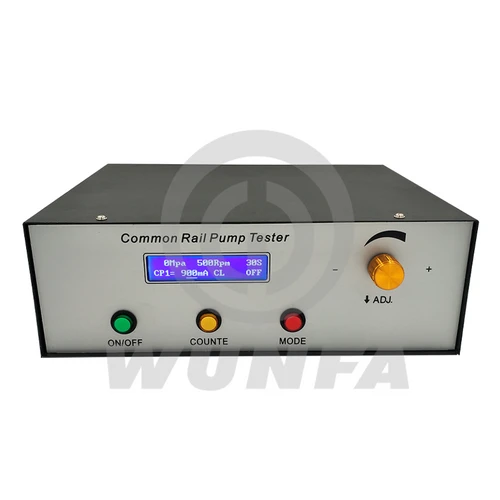
CRP860 high-pressure common rail pump tester function is used to drive common rail pump, while providing Bosch, Denso, Delphi and other common rail pump control signal to drive the high-pressure common rail pump to work, drive signal parameters can be carried out by the user according to their actual situation, and can be saved grouped for easy maintenance personnel to high-pressure common rail injector in working condition to judge different conditions and maintenance.
2. Accessories and Interface Description
2.1 Check the Accessories
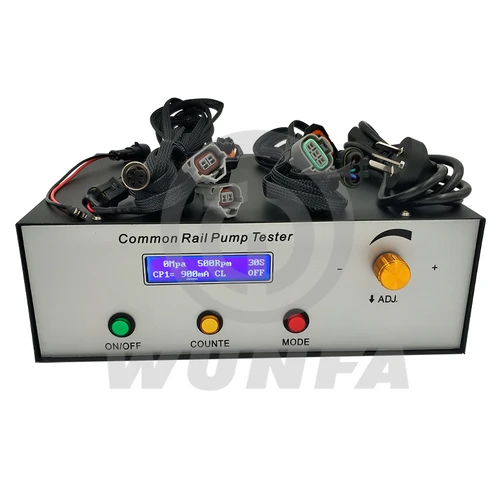
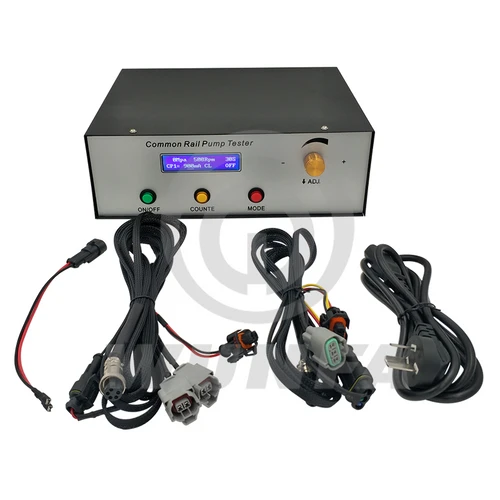
After receiving the goods, please open the box and check box items are consistent with the packing list. If any parts are missing, please contact the service personnel.
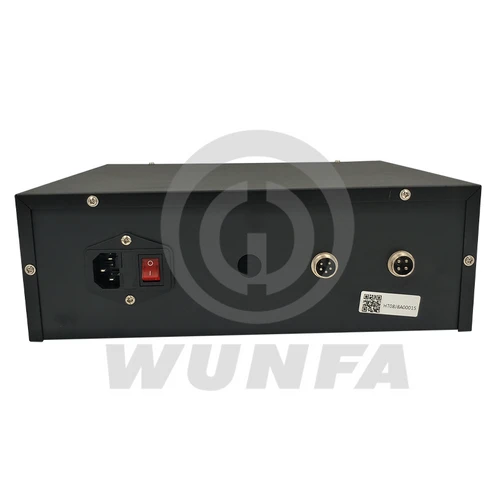
2.2 Chassis Interface
2.2.1 Pump output(pin5)
| Description | Air outlet side |
|
| Pump Valve + | pin1 | |
| Pump Valve – | pin2 | |
| HP0 B Cylinder Control | pin3 | |
| HP0 Common Control | pin4 | |
| HP0 A Cylinder Control | pin5 |

2.2.2 Rail pressure sensor (pin4)
| Description | Air outlet side |
|
| GND | pin1 | |
| Power 5V | pin2 | |
| Rail Pressure Sensor | pin3 | |
| Speed or Cylinder Detection | pin4 |

3. Operating Instruction
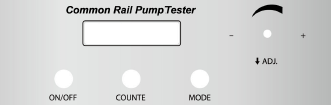
3.1 Chassis Panel
3.2 Display Interface
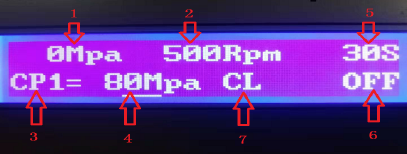
1. The current rail pressure display.
2. The current speed displays
a. The set speed is displayed in the stop state.
b. After starting, when testing HP0, the HP0 cam speed is displayed; 3,Pump type: (CP1, CP2, CP3, HP0, HP3, HP4, JIER, DELPHI);
4. pump control mode
A. open loop control: 0% ~ 99.99%
B. closed loop control: 0 ~ 160MPa
5. counting time: 0 ~ 60seconds
6. pump control state: OFF, PRE, ON
7. The current working conditions: CL, VL, VM, LL, ZD, U1;
3.3 Basic Operating Instructions
3.3.1 main interface operating instructions
A. Open or close the pump
In the main interface, short press “ON/OFF” button can be in OFF, PRE, or ON, switching between
B. switch pump type
In the main interface, when in the ON mode, press the “MODE” button to switch between different types of pumps (CP1, CP2, CP3, HP0, HP3, HP4).
C. open loop closed loop
In the main interface, Press and hold the “MODE” button to switch between open loop and closed loop
① The closed-loop regulation (set pressure)
In the main interface, switch to the closed-loop mode, Rotation ADJ can regulate the rotating knob set pressure (0-160MPA)
② open-loop regulation (ratio control valve output intensity)
In the main interface, switch to the open loop mode, and ADJ can regulate the output intensity (0-99.99% )
D. ON/OFF Count
In the main interface, when in ON mode, short press “COUNTE” button to start or close the count
E. In the main interface, when in the OFF mode, short-press the “ADJ” button to adjust the required pressure, working condition, speed, and counting time, and rotate the ADJ button to adjust.
F.In the main interface, when in the ON mode, press the “ADJ” button to adjust the required pressure and working conditions, and rotate the ADJ button to adjust.
3.3.2 Parameter setting interface
A. In the main interface, as is in the OFF state, long press “ADJ” button to enter the parameter setting interface, and again long press “ADJ” button to return to the Previous page.
B. After entering the setting interface, rotate the ADJ knob to select the type to be set.;
C. After selecting the type, rotate the ADJ knob to select the pump to be tested, press “ADJ” to enter the editing state, and rotate the ADJ to adjust the parameters.; D、the adjustment is completed, press ADJ to return to the previous page.
3.3.2.1 Basic Instructions
A. Choose the type of pump: (CP1, CP2, CP3, HP0, HP3, HP4, JIER, DELPHI);
B. Setpump: pump type setting: PID setting: PID contains settings of 4 parameters. P (scale), I (integral), D (differential), Out (output current), S (the adjustment speed of 1 ~ 5); Press ADJ return to the previous page;
C. RAIL settings: For the calibration of the rail pressure, MIN voltage corresponding to 0MPa, MAX voltage corresponding to 160MPa;
D. PWM setting: Setfiow (flow coefficient) setting (optional function)
4 About Maintenance Responsibility
1. Under normal use, due to product quality issues, free repair within one year.
2. Due to the non-normal use, causing damage to the product, the user bears the maintenance costs;
3. The product’s life-long maintenance, a year later, users bear the maintenance costs.




Reviews
There are no reviews yet.